Overview
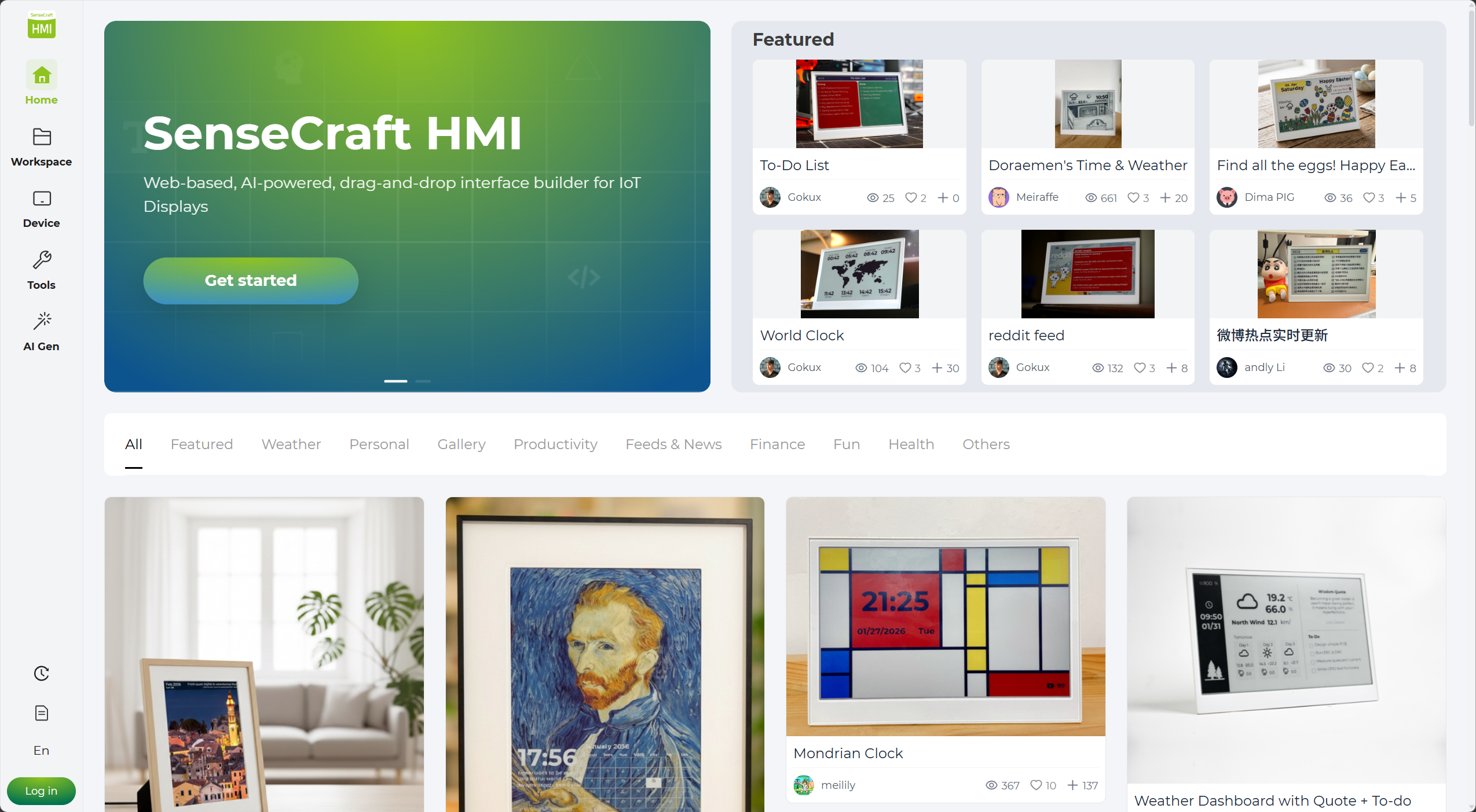
SenseCraft Seeedash, used to be known as SenseCraft HMI is Seeed Studio’s cloud-based UI design platform built specifically for ePaper display devices. With it, you can quickly design pages, adjust content, and deploy to your device without writing code.
Features
Section titled “Features”- No-code drag-and-drop designer — build layouts visually with widgets, data sources, and custom elements
- Community template library — browse and reuse designs published by the community
- Live data integration — connect to Weather, Stock, SenseCAP sensors, Google Calendar, RSS feeds, and more
- AI-powered generation — describe what you want in plain text and let AI generate the image or layout
- One-click deployment — push your design directly to the device over Wi-Fi
Pricing
Section titled “Pricing”SenseCraft Seeedash is currently in Beta and is free to use.
While our platform is free to use, AI generation features are subject to usage limits.
- Daily Limit: Each account is limited to 10 AI-generated creations per day, including 5 image generation/adjustments and 5 canvas generation/adjustments.
- Reset Time: Limits reset every 24 hours.
Sign Up and Log In
Section titled “Sign Up and Log In”SenseCraft Seeedash uses the unified SenseCraft account system. You can sign in with an existing SenseCraft, SenseCAP, Google, or GitHub account. If you do not have an account yet, you can create one from the same login page.
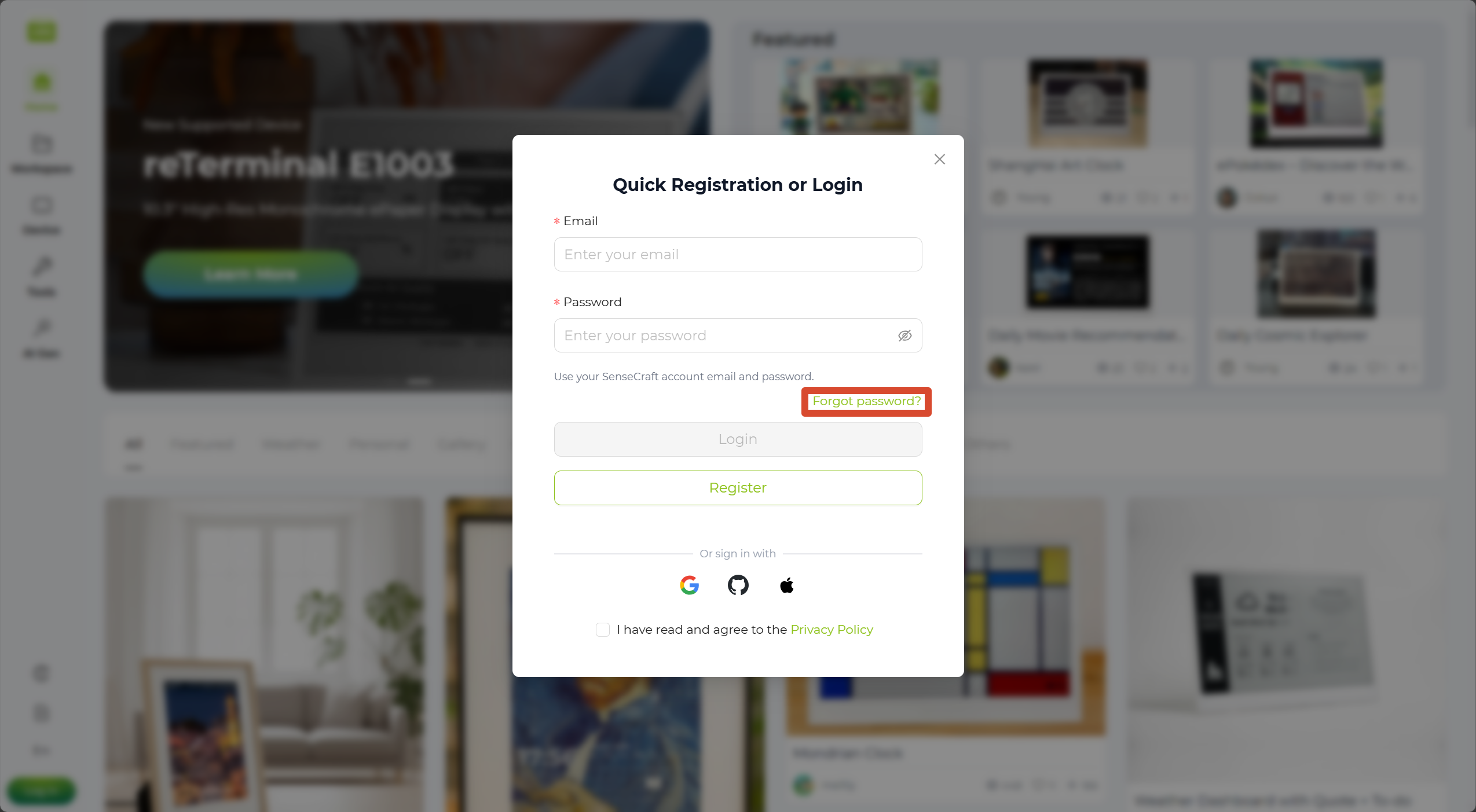
Click Log in in the bottom-left corner. On the login page, choose the option that matches your situation:
- If you already have an account, sign in using your existing SenseCraft, SenseCAP, Google, or GitHub account.
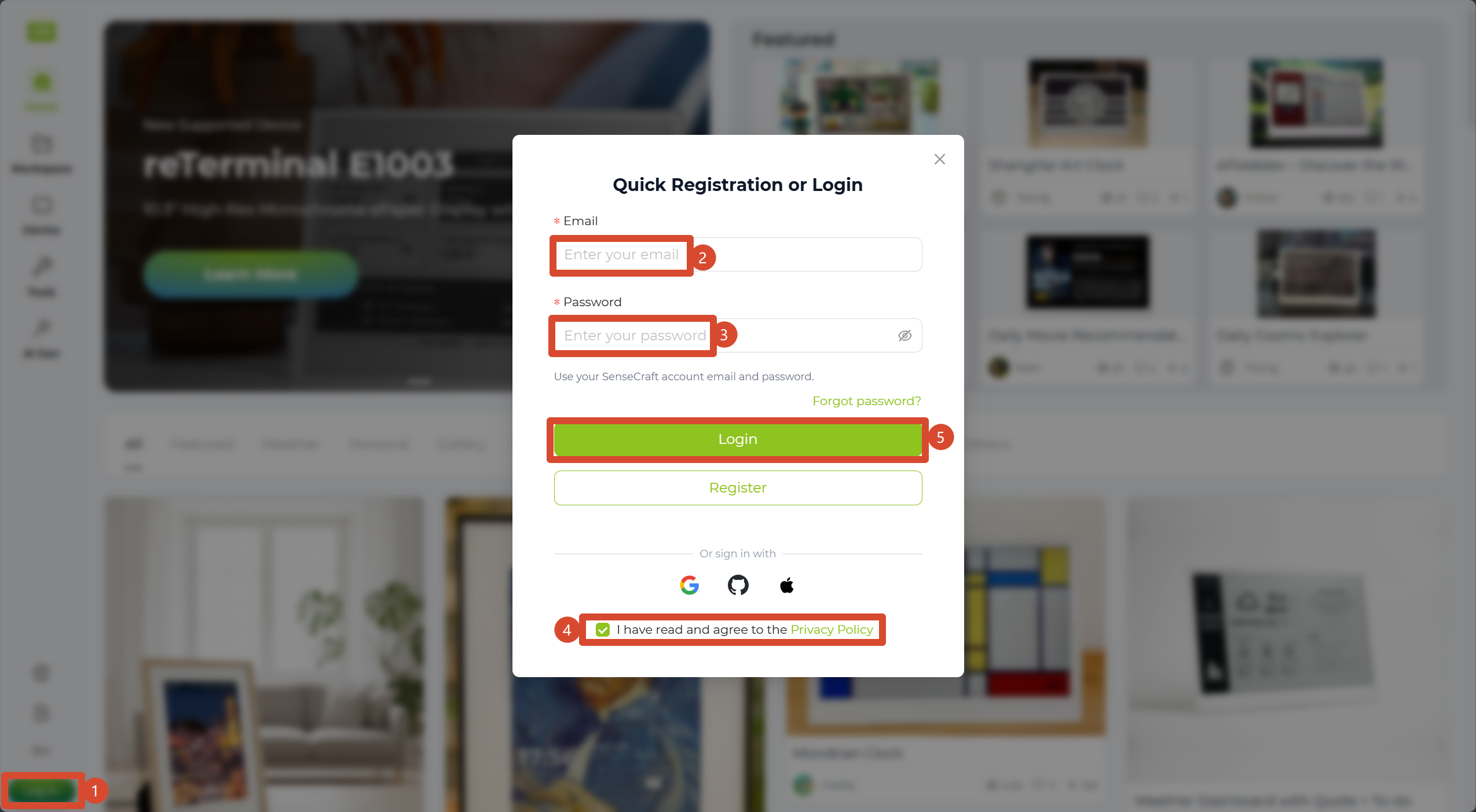
If you forget your password, click Forgot Password on the login page and follow the instructions to reset it.
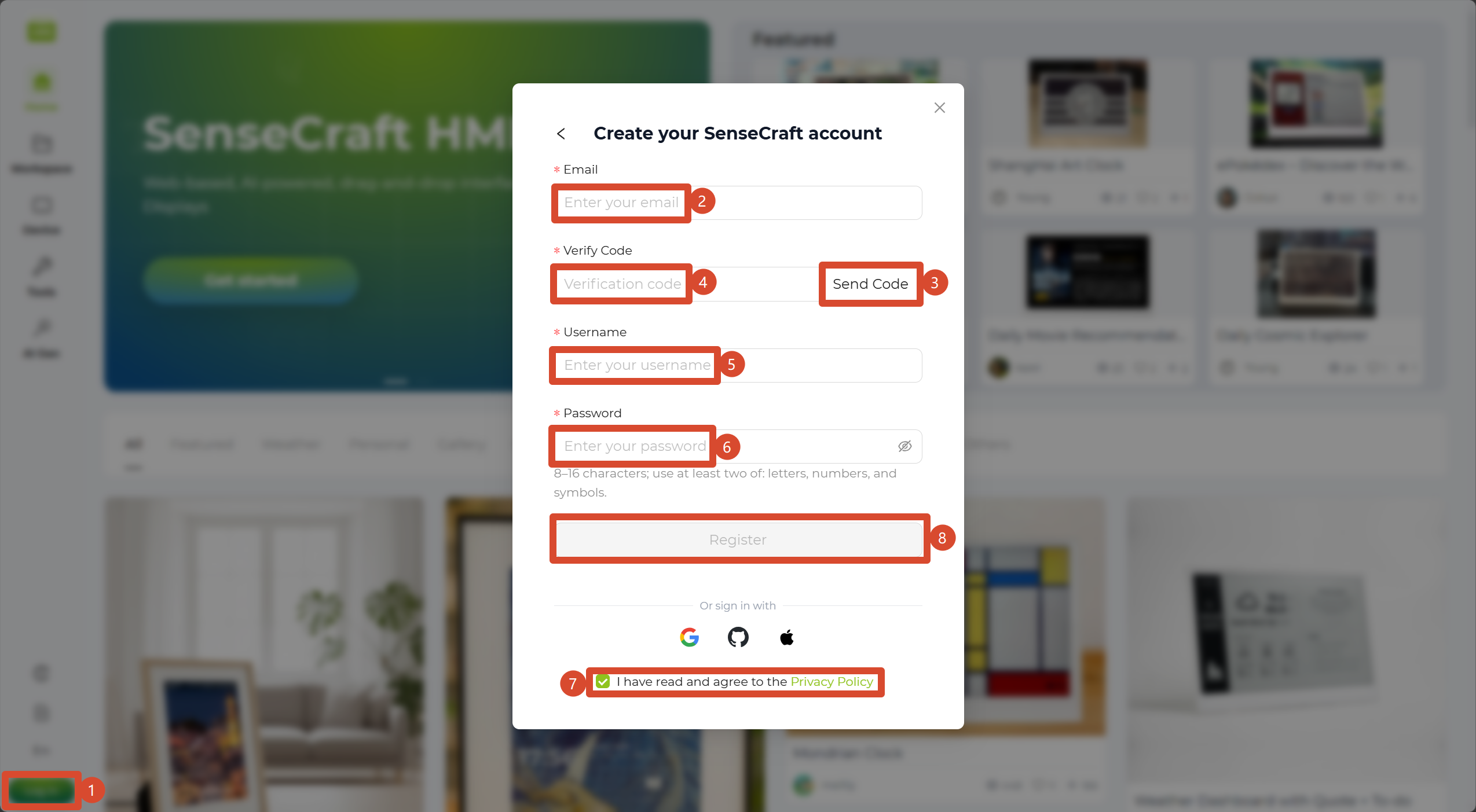
- If you do not have an account yet, click Sign up to create one. Enter your email address, verification code, username, and password, then click the sign-up button to complete registration.
After signing in successfully, you will be taken to the Home page of SenseCraft Seeedash, where you can start exploring the platform.
To get started, follow the Quick Start Guide to build your first page step by step.
Documentation Directory
Section titled “Documentation Directory”| Section | Description |
|---|---|
| Overview | Platform introduction, features, pricing, registration, and quick start guide. |
| Supported Hardware | A complete list of compatible devices with purchase links and shortcuts to featured showcases/cases. |
| Guides | Comprehensive tutorials covering quick start, device management, firmware flashing, canvas designer, and AI generation. |
| Release Notes | Version history, latest updates, and changelogs. |